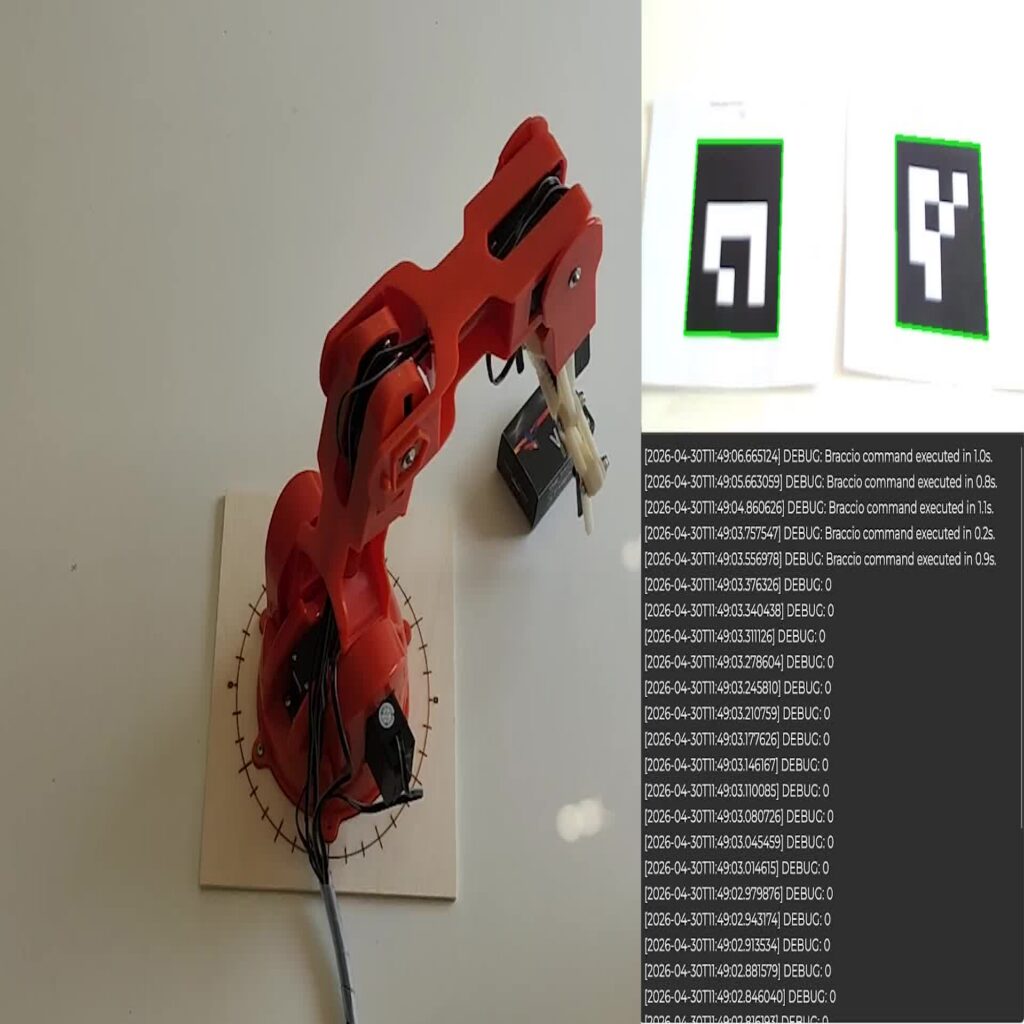
Connect camera input to robot actions with SHAPE. This guide shows how to use ROS 2 camera tracking and visual programming to control an Arduino Braccio robot arm. Point at an ArUco marker to select a predefined position, then let the application manage picking up and placing an object.
What you will build
You will build a pick-and-place application with two predefined positions. A camera detects which marker you point at, and SHAPE uses the marker ID to select the robot’s next action. When the gripper is empty, the arm picks up an object. When it is holding an object, the arm places it at the selected position.
What you need for this project
- SHAPE with its Docker-based ROS 2 environment.
- An Arduino Braccio robot arm, powered and configured for control through SHAPE.A USB webcam or compatible integrated camera.
- Two ArUco markers, corresponding to IDs 0 and 1 in the example.
- An object to pick up and two predefined positions within the robot’s reach.
Position the camera so that both markers and your pointing hand are visible. The markers select predefined robot positions; they do not determine movement coordinates directly. Check the arm’s configured positions and keep its working area clear before running the demonstration.
How Arduino Braccio ROS 2 control works
The camera tracking node combines hand tracking with ArUco marker detection. When your index finger points inside a marker area, the node publishes its ID on the ROS 2 topic /camera_tracking/pointing. SHAPE receives the message and runs the corresponding robot action through visual blocks. A variable tracks whether the gripper is holding an object, allowing the application to alternate between picking and placing.
Arduino Braccio ROS 2 demonstration
Follow the technical walkthrough
Explore the camera tracking setup, ROS 2 topics and SHAPE visual logic in our GitHub documentation.
Learn more about Tactigon and our approach to visual programming for robotics and IoT.